
[et_pb_section fb_built=”1″ admin_label=”section” _builder_version=”4.16″ global_colors_info=”{}”][et_pb_row admin_label=”row” _builder_version=”4.16″ background_size=”initial” background_position=”top_left” background_repeat=”repeat” global_colors_info=”{}”][et_pb_column type=”4_4″ _builder_version=”4.16″ custom_padding=”|||” global_colors_info=”{}” custom_padding__hover=”|||”][et_pb_code _builder_version=”4.27.7″ _module_preset=”default” hover_enabled=”0″ sticky_enabled=”0″]
The straight answer is yes, a metal roof can reduce cell signal inside your home. But how much it affects your service depends on your carrier, your location in San Antonio, the type of metal panels installed, and several factors that are fully within your control to fix. This complete guide covers the science, the real-world impact, and every solution available to San Antonio homeowners.
If you recently had a metal roof installed on your San Antonio home and noticed your phone signal dropping indoors, you are not imagining it. Metal is a conductor of electricity, and that property makes it an effective barrier to certain radio frequencies, including the cellular bands your phone uses to communicate with towers. The effect is real, it varies by situation, and it is entirely fixable.
This guide answers the question in full. You will understand exactly why metal affects cell signals, which factors make the problem worse or better in a San Antonio home, which solutions actually work, and how to make an informed decision about whether to address it before or after your roof is installed.
Many San Antonio homeowners come to us worried that switching to metal means losing their cell signal entirely. That is not accurate. A metal roof attenuates (weakens) signals, but the degree of impact depends on your carrier’s tower proximity, the frequency bands your phone uses, whether you use WiFi calling, and your home’s overall construction. For most homeowners in San Antonio’s denser neighborhoods, the practical impact is minor. For those near the urban edge of Bexar County with weaker baseline signals, the impact can be meaningful. The good news is that every scenario has a cost-effective solution.
The Science
Cell phones communicate using radio frequency (RF) waves transmitted between your device and cell towers operated by your carrier. Those waves travel through air, drywall, wood, and glass with minimal loss. When they encounter a conductive material like metal, the energy is either reflected off the surface or absorbed into the material rather than passing through it. This is called RF attenuation, and it is the fundamental reason a metal roof can weaken indoor cell signals.
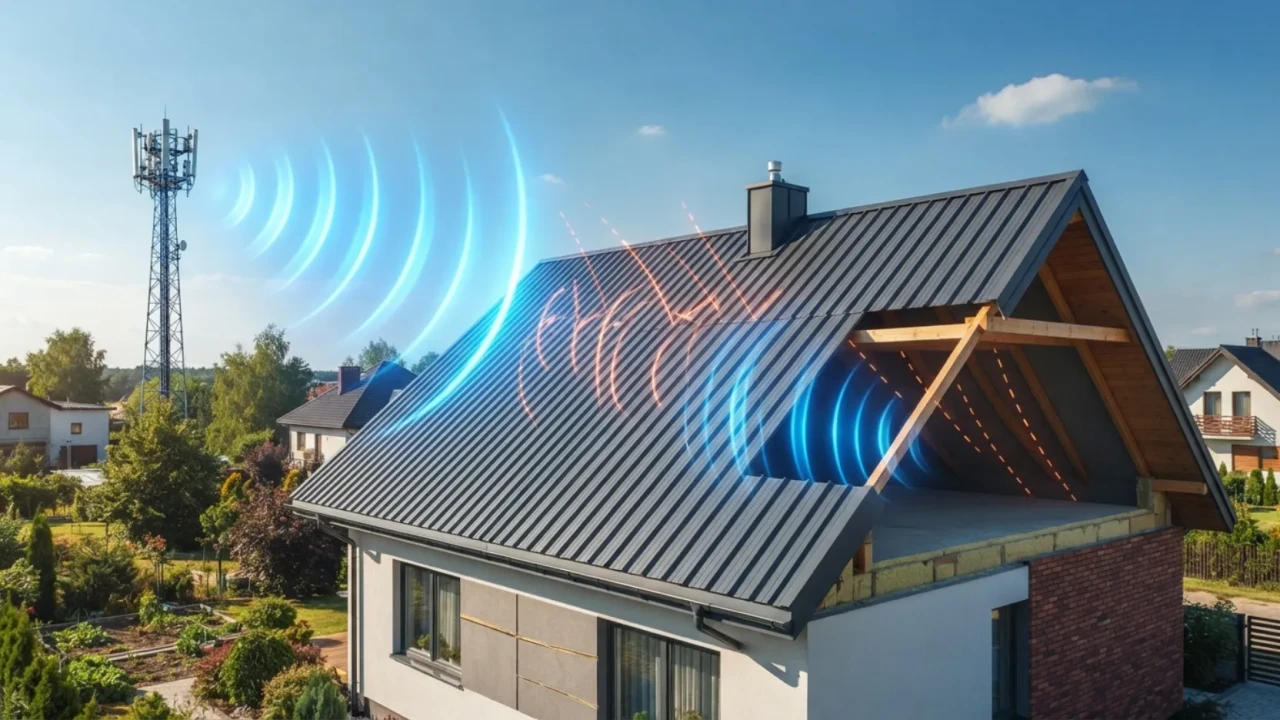
How much signal is actually blocked: A continuous metal panel roof system reflects and absorbs a portion of incoming RF energy. Research from the FCC and cellular industry testing shows typical signal attenuation through a metal structure ranging from 10 to 30 decibels (dB). On a logarithmic scale, 10 dB represents roughly a 70% reduction in signal power, and 20 dB represents a 99% reduction. The actual drop a homeowner experiences depends on how strong the signal is before it hits the roof.
Where signals still get in: Cellular signals do not only enter through the roof. They also enter through windows, doors, wall openings, and any gaps in the building envelope. A home with large windows on the side facing the nearest tower may experience almost no practical impact from the metal roof overhead, because signals are arriving horizontally, not vertically.
- Metal roofs attenuate (weaken) RF signals by reflecting and absorbing radio wave energy
- Attenuation is measured in decibels each 10 dB loss cuts signal power by roughly 70%
- Signals still enter your home through windows, doors, and wall gaps
- Other building materials (radiant barrier, Low-E glass) also contribute to total signal loss
- A strong outdoor signal partially offsets the attenuation caused by a metal roof
Signal Impact
San Antonio is one of the ten largest cities in the United States, and the major carriers AT&T, T-Mobile, and Verizon maintain dense tower networks in the urban core. Homeowners inside Loop 410, in Alamo Heights, Stone Oak, Helotes, or near the Medical Center typically have strong enough outdoor signals that a metal roof’s attenuation effect is barely noticeable inside the home.
The impact grows more meaningful as you move outward. In areas like Schertz, Converse, Cibolo, Boerne, Helotes outskirts, and rural Bexar County neighborhoods near Lytle or Natalia, baseline signal strength is lower before the roof even enters the picture. A home that already sits at the edge of acceptable reception on an asphalt shingle roof may experience genuinely dropped calls and failed data connections after switching to metal.
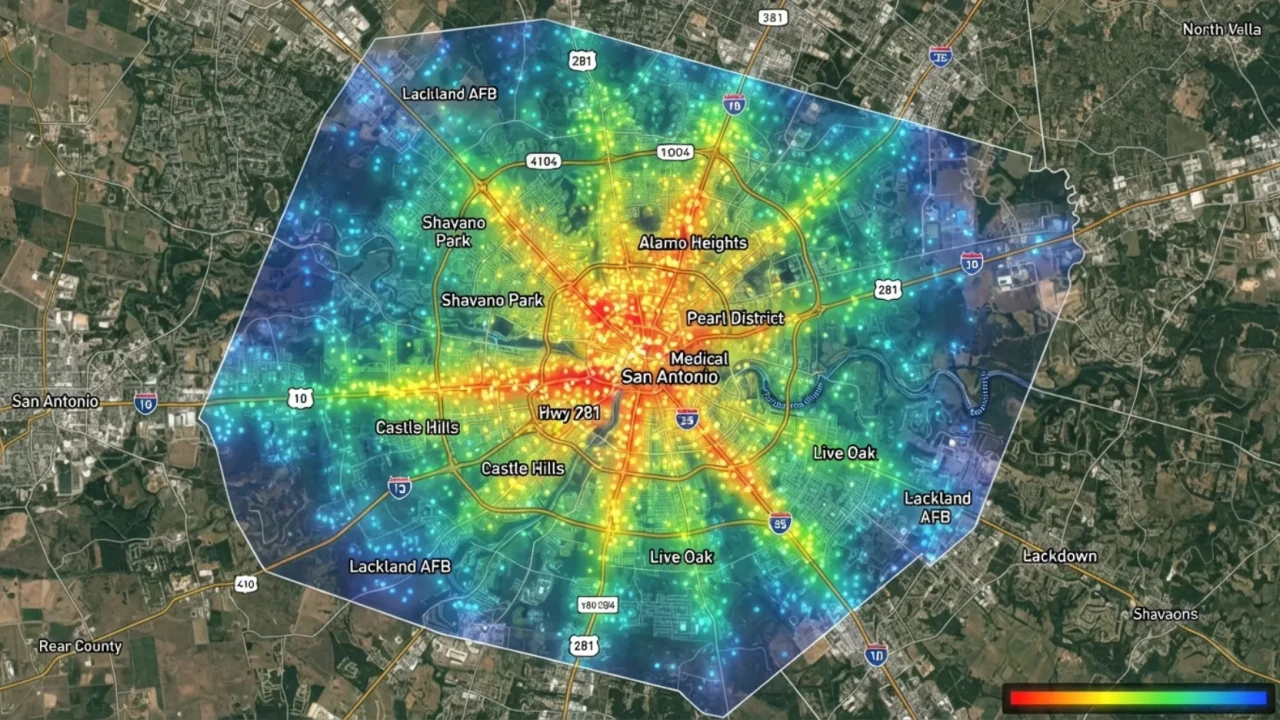
How to check your situation before installation: The simplest test is to walk to the center of each room in your current home and note your signal bars and carrier indicator. If you already drop to one or two bars in the interior of your home with your current roof, a metal roof will very likely push that to dropped calls. If you consistently show four or five bars everywhere, a metal roof will probably leave you at three or four bars indoors acceptable for nearly all users.
Carriers and bands that matter in San Antonio: T-Mobile’s mid-band 5G network has expanded aggressively in San Antonio since 2023 and now covers most of the metro area with strong indoor penetration on its 600 MHz and 700 MHz low-band frequencies. These lower frequencies penetrate building materials better than high-band 5G (mmWave). AT&T and Verizon have similar low-band coverage in most of Bexar County. If your carrier primarily serves your neighborhood on mid- or high-band 5G, you will likely feel more attenuation from a metal roof than a neighbor on low-band service.
Before your metal roof is installed, spend one full day using your phone as you normally would, but only from the center of each room away from windows. Record your experience with calls, texts, and data. This gives you a realistic baseline. If you notice problems already at your current roof, budget for a cell signal booster as part of your roofing project rather than treating it as a surprise after installation.
- Test your current indoor signal from room centers (not near windows) before roof installation
- Check which carrier frequency bands serve your neighborhood low-band penetrates better
- Note which rooms in your home face the direction of the nearest cell tower
- If you already get two bars or fewer indoors, plan for a booster before the roof goes on
- Ask your roofing contractor whether the new roof will add a radiant barrier it compounds signal loss
Panel Types
One misconception common among San Antonio homeowners considering metal roofing is that “metal roof” is a single category. In practice, the type of metal panel installed has a meaningful effect on how much cellular signal is blocked. The variables include the gauge (thickness) of the metal, whether a continuous solid sheet covers the roof or individual overlapping panels create gaps, and whether any non-conductive coating is present between panels.
| Metal Roof Type | RF Attenuation Level | Why | Common in San Antonio |
|---|---|---|---|
| Standing Seam Steel (continuous panels) | Higher attenuation | Large, uninterrupted conductive surface with minimal gaps for signal entry from above | Yes popular on modern residential builds |
| Corrugated Metal Panels (exposed fastener) | Moderate attenuation | Overlapping panels with fastener holes and minor gaps allow slightly more signal through | Yes common on older homes and outbuildings |
| Stone-Coated Steel Shingles | Moderate to high attenuation | Interlocking steel panels with granule coating; dense coverage similar to standing seam | Yes growing in popularity in Bexar County |
| Aluminum Panels | Similar to steel | Aluminum is also a good conductor; attenuation comparable to same-gauge steel | Less common used for coastal and commercial |
| Metal Roof Over Existing Shingles | Varies | Additional shingle layer can actually reduce signal loss slightly by creating air gap between metal and decking | Yes re-roofing method common in San Antonio |
The practical takeaway is that the differences between panel types are real but not dramatic. A homeowner who experiences poor signal under a standing seam roof would likely also experience it under corrugated panels if the baseline outdoor signal is weak. Panel type selection should be made on the basis of durability, aesthetics, and cost not cell signal optimization. Address the signal issue separately with one of the solutions in the next section.
- Standing seam creates the most continuous conductive barrier above your living space
- Corrugated and exposed-fastener panels have minor gaps but still attenuate signal meaningfully
- Stone-coated steel behaves similarly to other steel panel types despite the granule coating
- Panel gauge (thickness) does not significantly change RF attenuation properties
- Do not choose your panel type based on cell signal select it for roofing performance
Solutions
The good news for San Antonio homeowners is that metal roof cell signal problems are solved not worked around by one of three approaches. Which solution is right for your household depends on your usage patterns, how many people in the home are affected, and your budget. In many cases, a combination of two of these approaches is the most reliable long-term outcome.
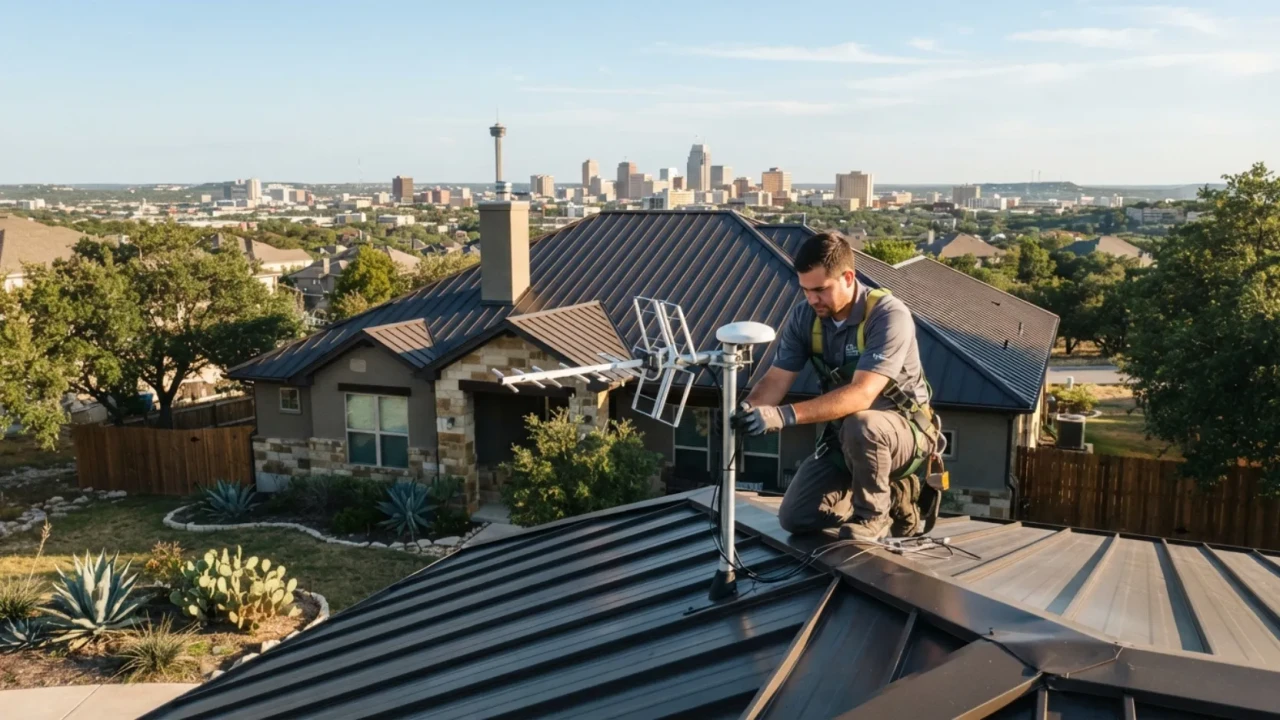
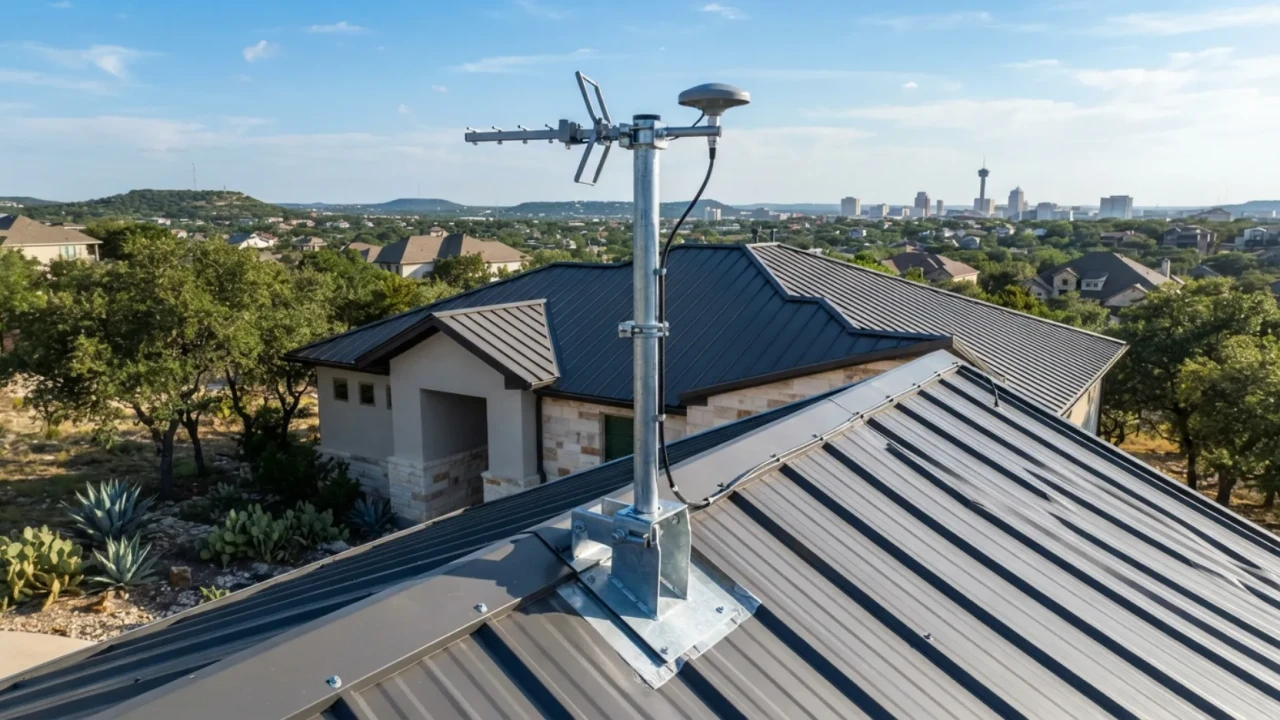
Solution 1 Cell signal booster (best for consistent, whole-home coverage): A cellular signal booster (also called a cell repeater or amplifier) mounts an outdoor antenna outside the metal roof’s shielding zone, captures the tower signal, amplifies it, and rebroadcasts it inside the home via an indoor antenna. The outdoor antenna typically mounts on a small mast above the roofline or on a gable-end wall. Reputable brands like weBoost and SureCall make carrier-compatible units starting around $300 for a single-room solution and $500 to $800 for whole-home systems. Installation typically takes two to four hours for a professional, or can be DIY for homeowners comfortable with basic exterior mounting.
Signal boosters do not require carrier permission in the US as long as they are FCC-approved. All units sold by legitimate retailers carry this certification. A booster works across all major carriers simultaneously one unit helps everyone in the home, regardless of which carrier they use.
Solution 2 WiFi calling (free, requires stable home internet): Every major US carrier now supports WiFi calling on modern smartphones. When enabled, your phone routes voice calls and text messages over your home internet connection rather than the cellular network. For homeowners with a reliable fiber or cable internet plan which covers most of San Antonio and Bexar County through providers including Spectrum, AT&T Fiber, and Grande WiFi calling eliminates dropped calls entirely at no additional cost. The limitation is that it requires your phone to be connected to your home WiFi network and does not help during a power or internet outage.
Solution 3 Outdoor antenna or femtocell (best for specific room coverage): Some carriers offer femtocells (small cells that connect over your internet connection and create a mini cell tower in your home) for free or at low cost to customers who meet their coverage criteria. An outdoor directional antenna mounted outside the metal roof and connected to a signal amplifier can also solve the problem for a specific location like a home office or main living area without covering the whole house. This is the most targeted and often lowest-cost option when only one area of the home has problems.
For most San Antonio homeowners, enabling WiFi calling costs nothing and solves 90% of the call-quality problem the same day. Go to your phone’s settings, find the cellular or phone section, and toggle WiFi calling on. If your internet service is stable, you will immediately notice improved call quality inside the home. Reserve the booster investment for situations where your internet is unreliable, you have family members with older phones that do not support WiFi calling, or you need signal coverage in areas of your property that are outside the home’s WiFi range.
- Enable WiFi calling first it is free and immediately effective for most San Antonio households
- If multiple family members on different carriers need improvement, invest in a whole-home booster
- Ask your carrier if they offer a femtocell for your address AT&T and Verizon have such programs
- For a single room or home office solution, a directional antenna is the most affordable fix
- All FCC-certified boosters are legal on all US carriers no carrier approval needed
- Plan the booster outdoor antenna location during roof installation to simplify cable routing
Myths vs. Facts
Metal roof cell service concerns have generated a lot of online discussion, and not all of it is accurate. Some claims overstate the problem, while others understate it in ways that leave homeowners unprepared. Here is what the evidence actually shows for San Antonio residential metal roofing situations.
| Claim | Reality | What actually matters |
|---|---|---|
| “A metal roof will kill your cell service completely” | False for most San Antonio locations | Outdoor signal strength determines how much you feel the loss. Most urban San Antonio homes see minor impact. |
| “Metal roofs block WiFi too” | Partially true but usually irrelevant | Metal attenuates WiFi from outside your home, but your router is inside. Interior WiFi is unaffected by your roof. |
| “Thinner gauge metal blocks less signal” | False in practical terms | Both 26 and 29 gauge steel block more than 95% of RF energy that strikes the panel face. Gauge is not the variable that matters. |
| “Adding a roof coating or paint layer helps signal” | False | Non-conductive coatings have no meaningful effect on RF transmission through metal. The metal layer is the barrier. |
| “You need your carrier’s permission to install a signal booster” | False | FCC-certified boosters do not require carrier approval. All major brands sold in the US carry this certification. |
| “Standing seam is better for signal than corrugated” | Marginally true but not significant | The difference is small enough that it should never drive a panel type decision. Address signal separately. |
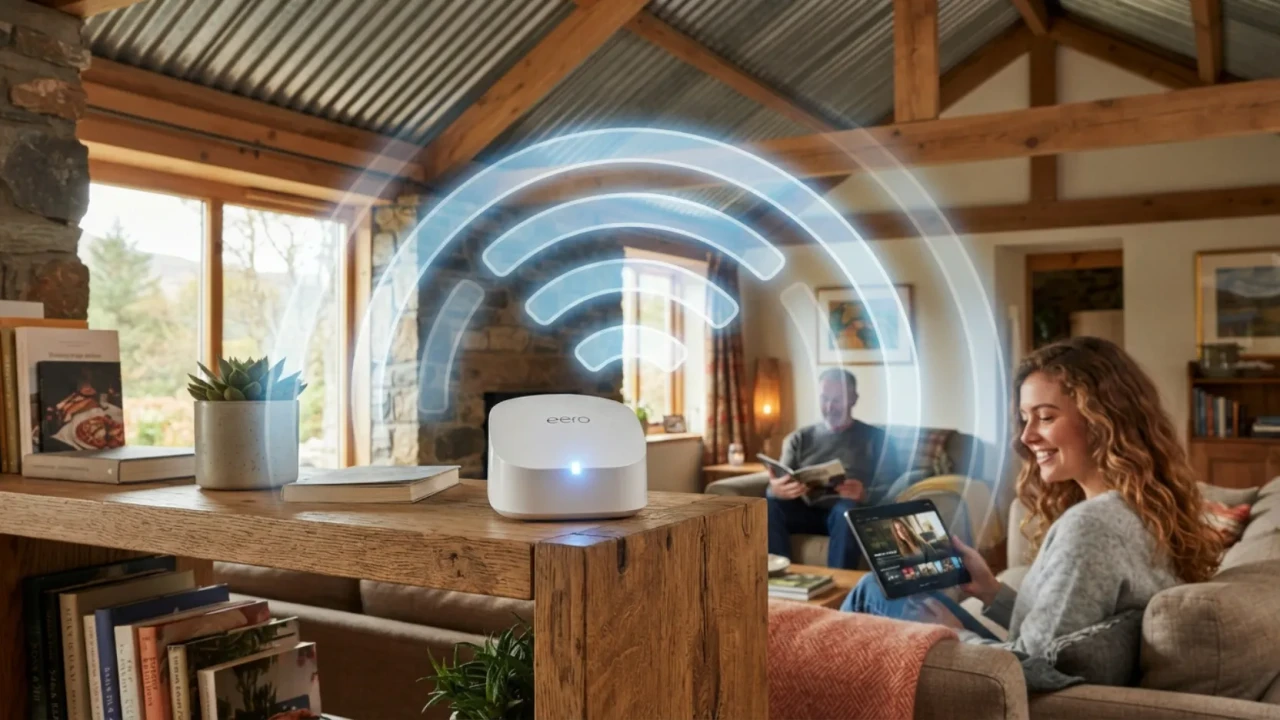
The WiFi myth deserves extra attention: Many San Antonio homeowners ask whether their home WiFi network will be weakened by a new metal roof. The answer is no in the vast majority of cases. Your WiFi router is inside the home. The signal it broadcasts travels through drywall, furniture, and floors not through your roof. The metal roof would only affect WiFi that was being received from outside your home (such as a neighbor’s network or an outdoor hotspot), which is not how home networks function. Your existing internet service and home WiFi performance will not change after a metal roof installation.
What does affect home WiFi: If your contractor installs new radiant barrier sheathing or metal-backed insulation as part of the roofing project, those materials can disrupt interior WiFi if your router is in a location where the signal must pass through them. This is a separate issue from the metal panels and is solved by repositioning your router or adding a wireless access point.
- Metal roofs reduce but do not eliminate cell signals Windows and walls still let signals in
- Your indoor WiFi router is unaffected by a metal roof it broadcasts from inside
- Gauge and panel type are not meaningful variables for signal reduction
- Non-conductive coatings and paint do not change RF transmission through metal panels
- FCC-certified signal boosters are legal for use on all US carriers without prior approval
Planning
The ideal time to think about cell signal is before your metal roof goes on, not after. A few simple planning decisions during the installation process can make it much easier and less expensive to add a signal booster later, even if you decide not to install one at the time of the roofing project.
Run a chase or conduit during installation: If there is any possibility you will want a signal booster in the next five years, ask your roofing crew to run a length of flexible conduit from the peak of the roof (or a designated antenna mount point on a gable end or fascia) through the attic to a central location in the home. A 3/4-inch flexible conduit run during installation costs almost nothing when the crew is already working on the roof. Running it after the roof is closed is a much more disruptive job.
Identify the antenna mount location: A cell signal booster outdoor antenna needs to be mounted above the metal roofline or on the exterior wall of the home, positioned toward the nearest cell tower. Before the new roof goes on, walk the property with your contractor and identify where the antenna would logically mount and how the cable would route into the home. This costs nothing to discuss and can save significant time and expense if you ever install the booster.
Ask about radiant barrier timing: Many San Antonio roofers include a foil-faced radiant barrier as part of a metal roofing project, which delivers genuine energy savings in Texas heat. But radiant barriers are also conductive and add to overall RF attenuation inside the home. If your outdoor signal is borderline, ask your contractor what radiant barrier product they are using and whether the installation plan places it in a continuous layer that would compound signal loss. This is worth knowing before the project begins.
- Test current indoor signal from room centers before roof installation to establish a baseline
- Ask contractor to run a 3/4-inch conduit from roofline to attic during the installation if a booster is possible
- Identify gable-end walls that face the nearest carrier tower for clean antenna mounting
- Confirm whether radiant barrier will be installed and where ask about its effect on indoor RF
- Note which rooms have the most windows facing the tower direction they will have the best signal
- Budget approximately $300 to $800 for a whole-home booster if your baseline signal is already marginal
These price ranges reflect current San Antonio market rates and retail pricing for the most common solutions as of 2026. Professional installation costs vary. In many cases, homeowners can self-install boosters and WiFi calling is entirely free.
| Solution | Typical cost (2026) | Best for | Signal improvement |
|---|---|---|---|
| WiFi calling (enable on phone) | Free | All San Antonio homeowners with reliable internet | Eliminates call drops over WiFi entirely |
| Carrier femtocell (if available) | Free to $100 | Single-carrier households with strong home internet | Full bars inside the home for that carrier |
| Single-room signal booster | $150 to $350 | One problem room (home office, bedroom) | Moderate to significant improvement in the target room |
| Whole-home signal booster (mid-range) | $300 to $600 | Households with 1 to 2 stories and under 2,500 sq ft | Significant improvement across most rooms |
| Whole-home signal booster (premium) | $600 to $900 | Larger homes, multiple floors, multiple carriers | Strong signal improvement throughout the home |
| Professional booster installation | $150 to $350 labor | Homeowners who prefer professional cable routing and mounting | Proper antenna placement maximizes booster performance |
| Conduit pre-run during roofing | $50 to $150 added to roofing job | Any homeowner planning a metal roof who may add a booster later | No immediate signal change saves future installation cost |
- Walk each room and note current signal bars from the center of the room (not near windows)
- Identify which rooms are most important for calls and data use
- Find out which frequency bands your carrier primarily uses in your neighborhood
- Enable WiFi calling on every phone in the household now it costs nothing and may already solve the problem
- Ask your roofing contractor about routing a conduit for a future booster antenna cable
- Identify gable-end walls that face the direction of nearby cell towers
- Ask whether a radiant barrier is included in the roofing scope and where it will be placed
- Test signal again from room centers within the first week after the new roof is on
- Compare the results to your pre-installation baseline notes
- If calls are dropping, confirm WiFi calling is active on all household phones
- Contact your carrier to ask about femtocell availability for your address
- If multiple people on different carriers are affected, price out a whole-home FCC-certified booster
- For outdoor signal testing, use your carrier’s signal field test mode (available on both iPhone and Android)
- Purchase an FCC-certified booster rated for your home’s square footage do not undersize
- Mount the outdoor antenna above the metal roofline or on a gable-end wall, not through the panels
- Keep at least 15 feet of vertical separation between the outdoor antenna and indoor antenna to prevent oscillation
- Use the included coaxial cable or an equivalent rated for outdoor/attic use
- Do not mount the booster unit in the attic if summer attic temperatures exceed the unit’s operating spec
- Test signal inside each room after installation to confirm improvement
Does a metal roof affect cell service in San Antonio?
Will a metal roof block my home WiFi?
What is the best fix for cell signal loss from a metal roof?
Does standing seam metal roofing block more signal than corrugated metal?
Do I need my carrier’s permission to install a cell signal booster?
Will my 5G service work inside a metal-roofed home?
Get a Free Metal Roofing Estimate in San Antonio
Ready to switch to metal? Have questions about how a new roof will affect your signal, energy bills, or home value? We answer every question honestly and provide free written estimates at no obligation.
[/et_pb_code][/et_pb_column][/et_pb_row][/et_pb_section]